



Data Types in Java
In the previous tutorial, you learnt about Variables in Java.
In this tutorial, you will learn what data types are in Java and why they are important. When you start learning Java, one of the most important concepts you encounter is data types in Java. Many beginners rush through this topic, but in reality, data types are the foundation of everything you write in Java.
So let’s understand what data types are, why Java needs them, and how to use them correctly, all with real-life examples and easy analogies.
What is a Data Type in Java?
A data type tells Java what kind of value a variable can hold, how much memory is required to store it, and what operations can be performed on it.
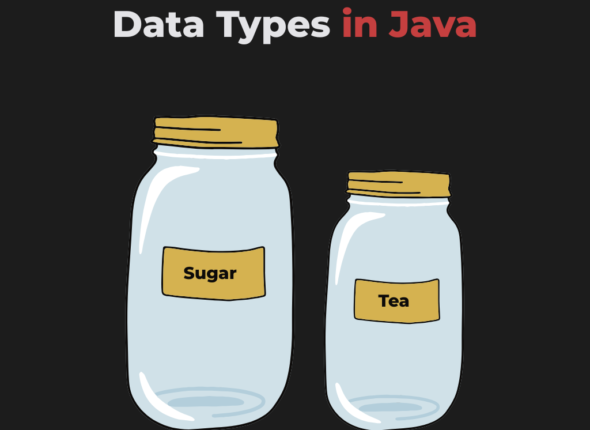
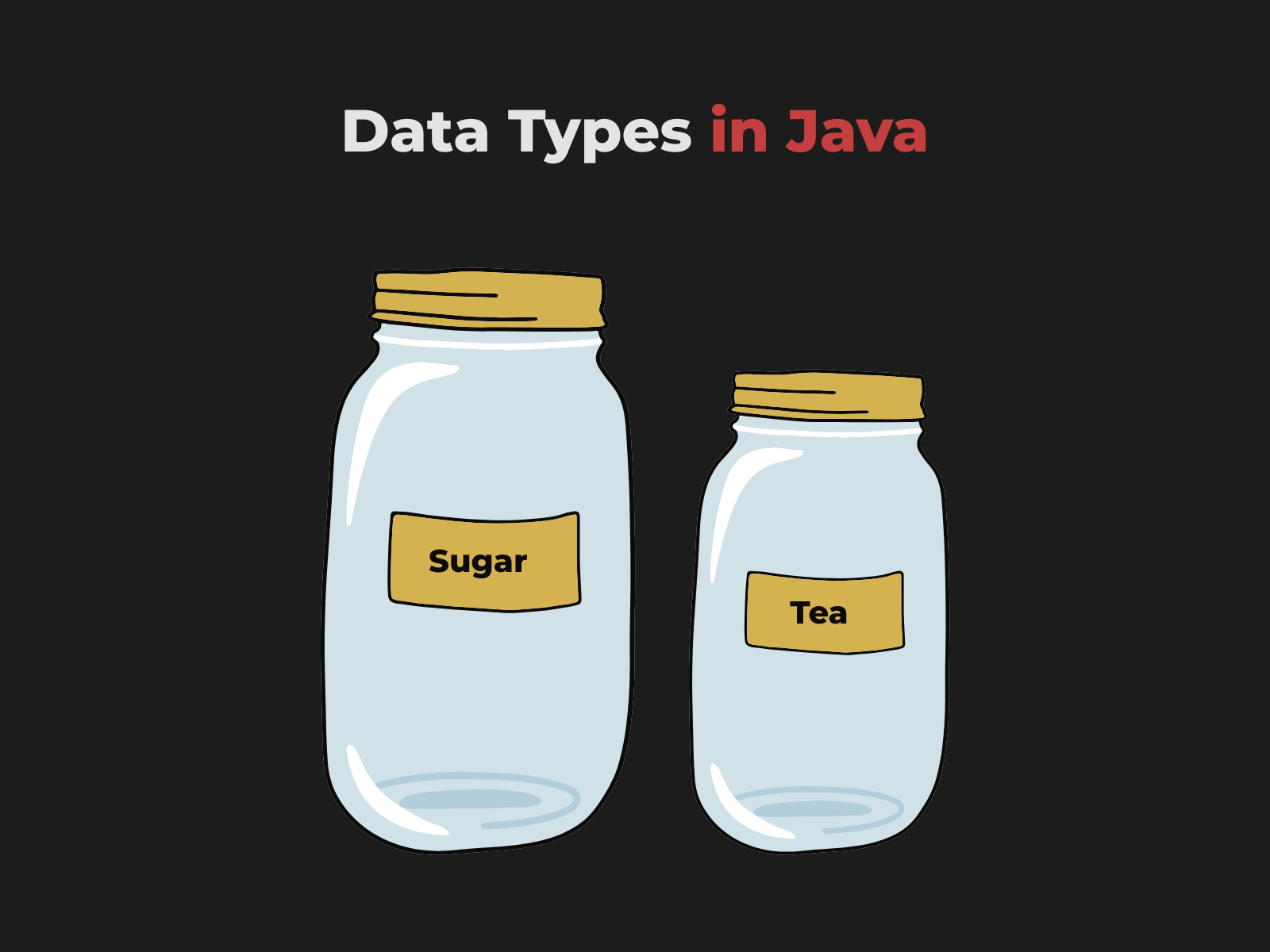
Think of data types like labels on containers. In real life, a container labeled “Sugar” is intended to store sugar and not tea, and a container labeled “TEA” is intended to store tea and not sugar.
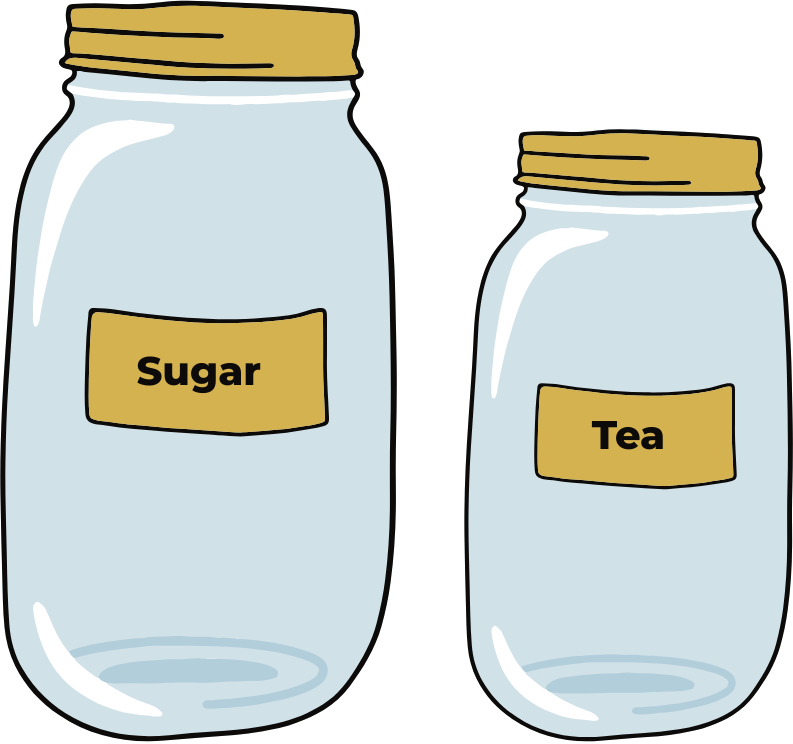
Similarly, in programming, when you declare a variable, you specify its data type, and that data type determines what kind of data the variable can hold.
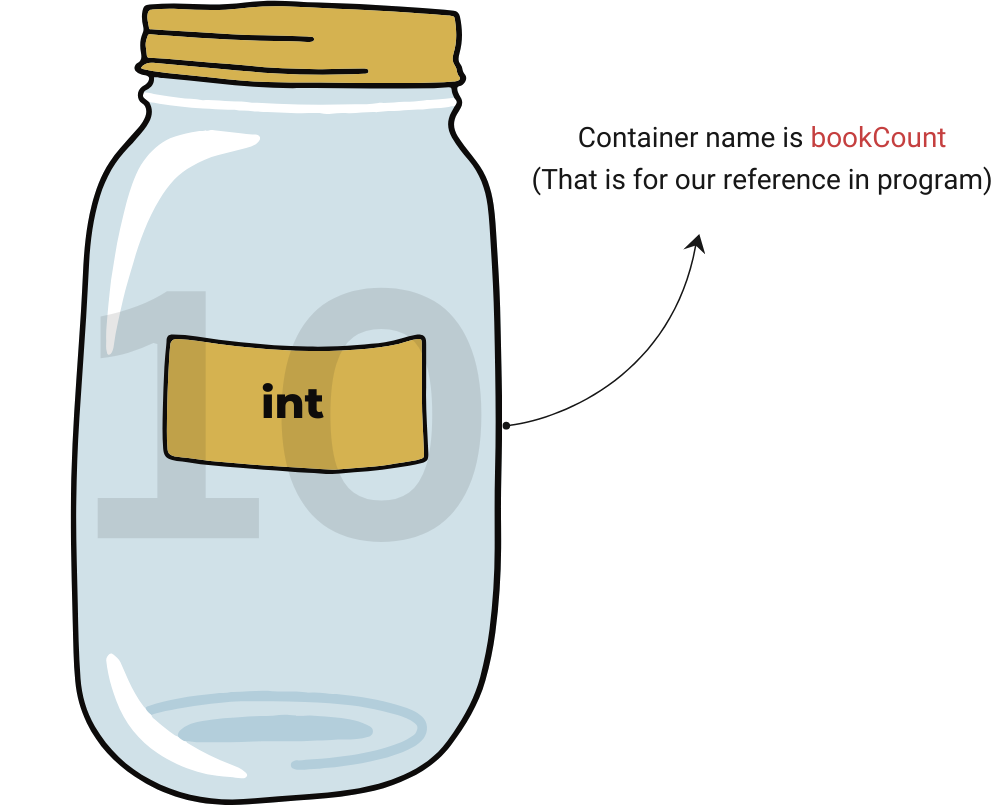
For example, when you declare a variable like int bookCount = 10;. Java creates a container labeled int. This label tells Java that the container can store only integer values. The name bookCount acts as an identifier that allows you to refer to this container anywhere in your program.
Data types in Java are broadly divided into two categories:
- Primitive Data Types: Primitive data types store simple, single values directly in memory.
- Non-Primitive (Reference) Data Types: Non-Primitive data types store references (addresses) to objects in memory.
Let’s explore both in detail.
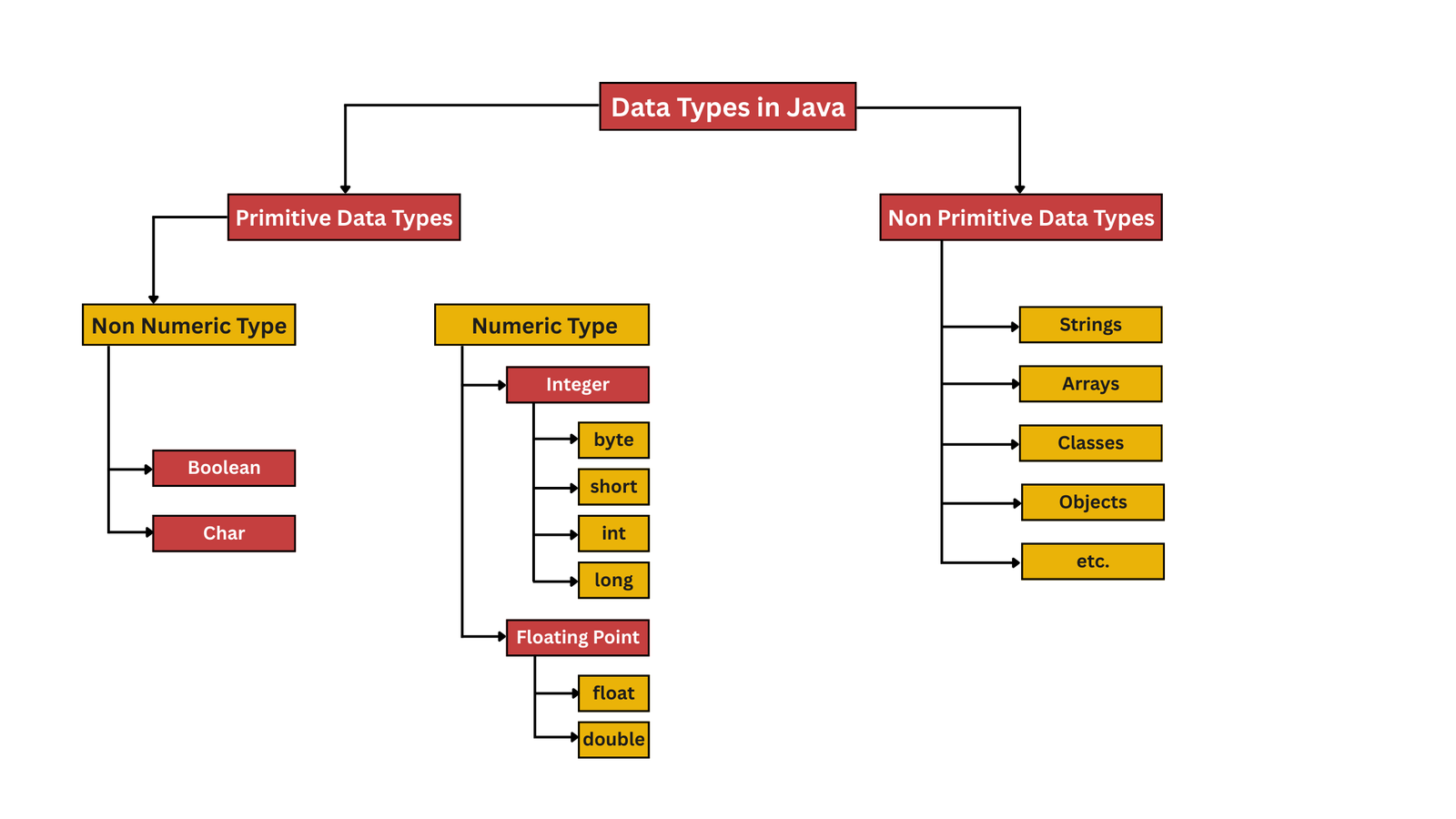
Primitive Data Types in Java
Primitive data types are the fundamental data types in Java that store actual values and occupy a fixed amount of memory.
Example:
					int age = 30;
  double balance = 100000.11;
Memory Explanation:
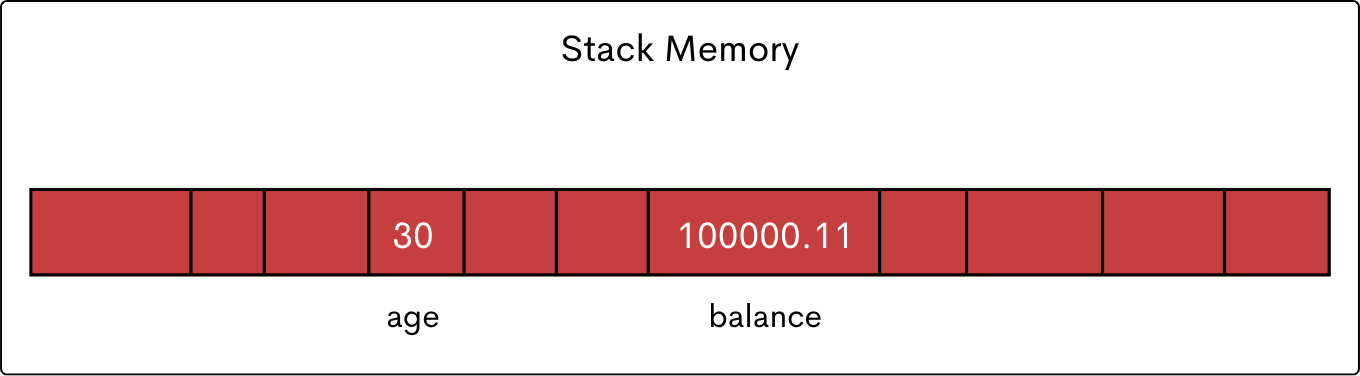
- Store actual values
- No reference / no object
- Have fixed sizes
- Fast and memory-efficient
Java provides eight primitive data types, each with a fixed size and range.
Let’s explore each in detail.
| Data Type | Size | Range | Description |
|---|---|---|---|
byte |
1 byte (8 bits) |
−128 to 127 |
Used for very small whole numbers. |
short |
2 bytes (16 bits) |
−32,768 to 32,767 |
Used for moderately small whole numbers. |
int |
4 bytes (32 bits) |
−2³¹ to 2³¹−1 |
Most commonly used integer type |
long |
8 bytes (64 bits) |
−2⁶³ to 2⁶³−1 |
Used for very large whole numbers |
float |
4 bytes (32 bits) |
~±3.4E−38 to ±3.4E+38 |
Used for decimal numbers with less precision |
double |
8 bytes (64 bits) |
~±1.7E−308 to ±1.7E+308 |
Default and preferred type for decimal values |
char |
2 bytes (16 bits) |
0 to 65,535 |
Stores a single Unicode character |
boolean |
JVM-dependent |
true or false |
Stores logical values (size not fixed) |
Integer Data Types (Whole Numbers)
byte
A byte is an 8-bit signed integer used for very small whole numbers.
- Size: 1 byte (8 bits)
byte age = 12;
short
A short is a 16-bit signed integer used for slightly larger numbers.
- Size: 2 bytes (16 bits)
short population = 12000;
int
An int is a 32-bit signed integer default choice for whole numbers.
- Size: 4 bytes (32 bits)
int bookCount = 12;
long
A long is a 64-bit signed integer used for very large numbers.
- Size: 8 bytes (64 bits)
- Requires L suffix
long bankTransactionId = 1000_0222_2211_1113L;
Floating-Point Data Types (Decimal Numbers)
float
A float is a 32-bit single-precision floating-point type used to store decimal values with less precision than double.
- Size: 4 bytes (32 bits)
- Requires f suffix
float temperature = 36.5f;
double
A double is a 64-bit double-precision floating-point type preferred for calculations.
- Size: 8 bytes (64 bits)
- More precise than a float
double bankBalance = 10000000.11;
Java treats decimal numbers as double by default.
Character Data Type (char)
The char data type stores a single character.
- Size: 2 bytes (16 bits)
- Uses single quotes
- Supports Unicode
char grade = 'A';
Boolean Data Type (boolean)
The simplest data type in Java. It stores only true and false. Used heavily in: conditions, loops, and in authentication logic.
boolean isUserLoggedIn = true;
Non-Primitive (Reference) Data Types
Non-Primitive data types store references (memory addresses) to actual data rather than the values themselves. They are generally created using classes and include types such as String, arrays, classes, objects, and interfaces.
					class Student {
    int rollNumber;
    String studentName;
}

public class DataTypeInJava {
    public static void main(String[] args) {
        Student s1 = new Student();
        s1.rollNumber = 10;
        s1.studentName = "VairagiCodes";
    }
}
Memory Explanation:
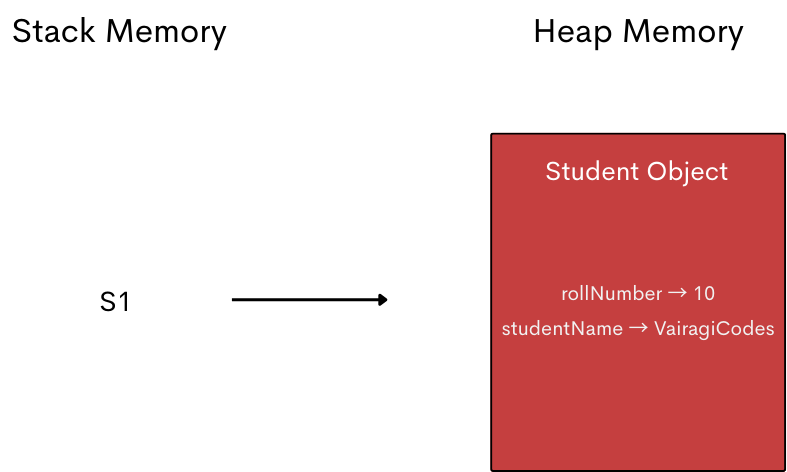
In this case, s1 does not store the object itself. It stores a reference in stack memory that points to the actual object created in heap memory.
Now, if you create another reference named s2 and assign it the value of the first reference s1, then both s1 and s2 point to the same object in heap memory.
					class Student {
    int rollNumber;
    String studentName;
}

public class DataTypeInJava {
    public static void main(String[] args) {
        Student s1 = new Student();
        s1.rollNumber = 10;
        s1.studentName = "VairagiCodes";

        Student s2 = s1;
    }
}
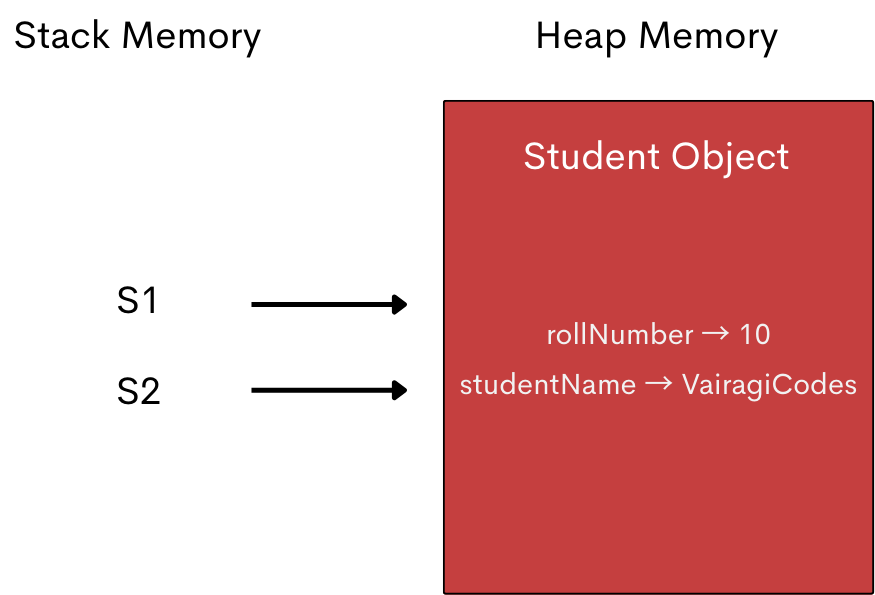
- Store memory addresses
- Point to actual data stored elsewhere
- Are created using new (mostly)
Arrays, Strings, Classes, and Objects are some of the Non-Primitive data types in Java. Let’s explore each of them in detail.
String Data Type
String is the most commonly used non-primitive data type. Strings store multiple characters and offer many built-in methods.
String userName = "VairagiCodes";
Arrays
Arrays store multiple values of the same type.
					float[] temperatures = new float[7];


 temperatures[0] = 28.5f; // Monday
 temperatures[1] = 30.0f; // Tuesday
 temperatures[2] = 29.2f; // Wednesday
 temperatures[3] = 31.8f; // Thursday
 temperatures[4] = 32.4f; // Friday
 temperatures[5] = 30.6f; // Saturday
 temperatures[6] = 27.9f; // Sunday
Classes and Objects (Brief Overview)
Classes are blueprints, and objects are real-world entities created from them.
					 class Student {
    int rollNumber;
    String studentName;
 }
Primitive vs Non-Primitive Data Types
| Features | Primitive | Non Primitive |
|---|---|---|
Stores |
Actual value |
Memory address |
Size |
Fixed |
Varies |
Speed |
Faster |
Slightly slower |
Example |
int, double |
String, Array |
Default Values of Data Types in Java
| Data Type | Default Value |
|---|---|
int |
0 |
double |
0.0 |
boolean |
false |
char |
‘\u0000’ |
object |
null |
Real-World Mini Example (Business Logic)
Consider an e-commerce order system. Here, each variable uses the most appropriate data type, making the code clean and logical.
					int orderId = 101;
 String customerName = "Ram";
 double totalAmount = 1000.11;
 boolean isDelivered = true;
Common Beginner Mistakes
- Using int for large values.
- Forgetting the L or f suffix.
- Confusing char and String. Remember: char uses single quotes (‘A’),
while String uses double quotes (“A”). - Using numbers instead of boolean for conditions.
Best Practices for Choosing Data Types
- Use int for most whole numbers
- Use double for decimal calculations
- Use boolean for conditions
- Choose the smallest sufficient data type
Final Thoughts
Data types are not just syntax; they define how memory is used, how your program behaves, and how readable your code is. Once you master data types in Java, concepts like variables, conditions, and loops become much easier.
In the next tutorial, we’ll explore Operators in Java. Happy Coding!
Next recommended reads:
Stay Connected
Follow on Instagram for Java tips, coding reels, and much more.
Subscribe to VairagiCodes YouTube Channel for learning the art of programming.